Instagram posts for auto repair shops: what to post and when
An auto repair shop wins customers by explaining: what to check before a road trip, how long a service takes and when to replace a part. Here are ideas for the week, the best times to post according to the average of two public studies and the Feedmakers features that make each post.
What to post
- What to check before a long road trip
- How many miles or kilometers between services
- Signs your brakes need a check
- The shop's services and how long each one takes
- A deal on an oil change or a wheel alignment
- Hours and how to book
- One of the day's jobs, told in three steps
- Fuel economy myths
When to post
Neither study has its own data for auto repair shops, so the map uses the all-industries average.
The time slots with the most Instagram engagement, in your local time, according to two public studies.
- MonMonday15–17 h
- TueTuesday15–20 h
- WedWednesday17–18 h
- ThuThursday12–15 h
- FriFriday16–17 h
- SatSaturday11–12 h
- SunSunday12–16 h
- Both studies agree
- One of the two marks it
Sources
Sprout Social: nearly 2 billion engagements from about 307,000 profiles (Nov 27, 2025 – Feb 27, 2026)
Hootsuite: over 1 million posts, with times localized across 118 countries
How to do it with Feedmakers
- PlannerNorthbound Coffee
Content Planner
AI StrategyHelp me plan 3 strategic posts for my business this week, balancing value, attraction, and sales.
Reading your brand's goals and pillars…Working out hooks and angles…Shaping proposals and formats…Tuning tone and calls to action…Ask for ideas: “Plan 3 posts for this week”, “Ideas to promote…”
Content planner
Ask the planner for ideas for the week, like what to check before a road trip or an oil change deal, and generate the ones you pick without leaving the chat (it replies in Spanish for now).
- Post creatorNorthbound Coffee
What the agent understood
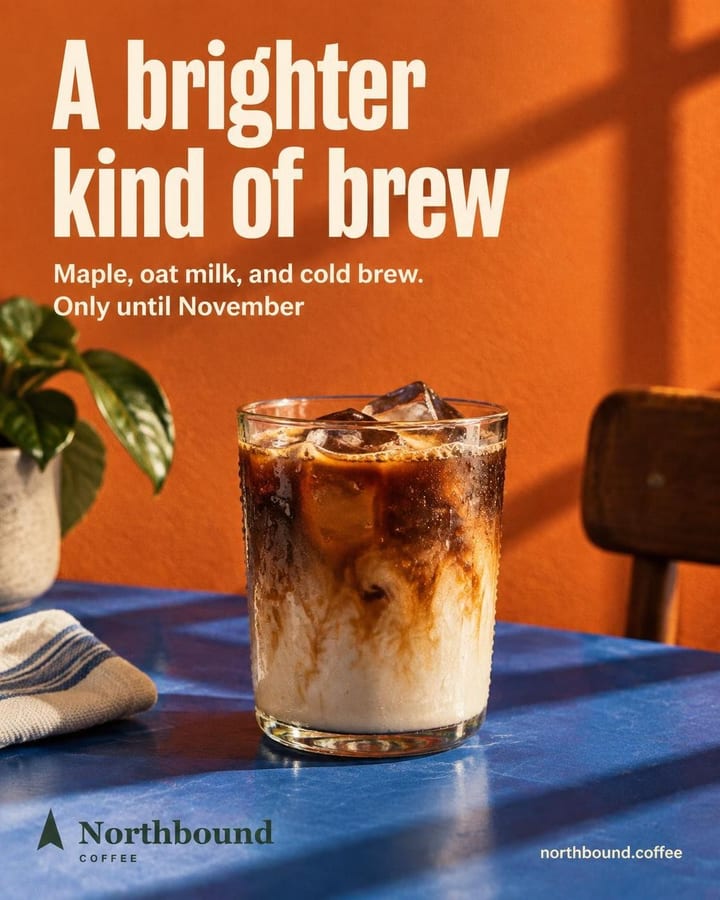
Headline23/80AIA brighter kind of brew
Subtitle31/120AIMaple, oat milk, and cold brew.
BackgroundTextA preview of the text and mood: the final art comes out different. What you edit here is kept.
Review before generating
Check the prices and the mileage on the draft and fix them before you spend any credits.
- My postsNorthbound Coffee9:41northbound.coffee
northbound.coffee Meet your brightest cold brew of the season. Maple, oat milk, and cold brew come together in a smooth seasonal pour made for brighter fall days.
Publish
Northbound Coffee
Where it goes
Instagram@northbound.coffeeFacebook (Page)Northbound CoffeeWhen
CancelPublish to 2 networksPublish and schedule
Schedule it to go out on its own on Instagram and Facebook, in one of the slots on the map.
Sample views with test businesses. Real designs and copy.
Frequently asked questions
Can I use photos of the jobs?
Yes. Add the photo and Feedmakers places the job in a new piece with the text inside it. An image model redraws it, so check that it still looks like yours before you post.
Can I put prices in the image?
Yes. You can type the services and prices yourself and they go inside the image. An image model draws them and can make mistakes, so check them before you post.
Does it write the caption too?
Yes. Every post comes with a hook, a caption, a call to action and hashtags, in English, Spanish or both.
How much does each post cost?
1 credit per image on Fast, 3 on Standard and 6 on High, and credits are only charged when the image comes out right. The caption doesn't spend credits.
Try it with your business
10 free credits when you confirm your email and back to 10 every month, no card and no watermark. The first ones cover 3 Standard images or 10 on Fast.