Check your piece's text and colors before you spend credits
When you reach Review and generate, the creator builds a draft of what the agent understood: the text in the image, the colors and the scene. You adjust it before spending a credit.
- Free· limited
- Starter
- Pro
What the agent understood
A brighter kind of brew
Maple, oat milk, and cold brew.
A preview of the text and mood: the final art comes out different. What you edit here is kept.
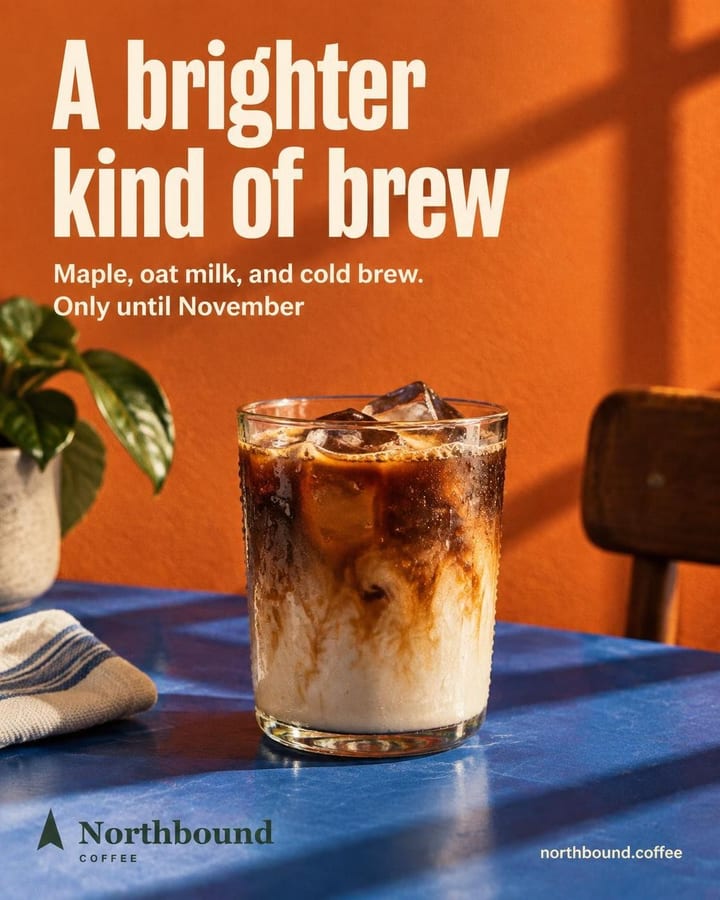
Sample view with a test business. Real designs and copy.
How it works
Reach the last step
In Review and generate, the draft loads on its own under What the agent understood.
Adjust what you want
Edit the headline, subtitle or details, the background, the text color or the piece type. Anything you touch is marked Yours.
Generate
When you're happy, tap Generate. If you changed options after the draft, tap Update draft first.
What's included
- The draft includes the headline, subtitle, details, piece type, background, text color and the scene in one sentence.
- It doesn't spend credits: it uses your plan's draft allowance.
- Everything is editable. What you change is marked Yours and becomes required for the artwork; what the AI proposed says AI.
- You can change the background, the text color and the piece type: typographic, photo or mixed.
- It isn't the final image: it shows text and colors, not a mocked-up post. The artwork comes out different.
- It's requested once. If you change options afterwards, the button becomes Update draft.
Which plan
- Free
- Limited
- Starter
- Included
- Pro
- Included
The free plan includes 100 drafts a month; Starter, 500, and Pro, 1,300. If you run out, you can still generate by writing the text yourself with I'll write it.
Frequently asked questions
Is the draft a preview of the final image?
No. It shows the text, colors and scene the artwork will follow, without drawing anything. The final image comes out different.
What happens if I run out of drafts?
If the AI writes the text, Generate is turned off. You can choose I'll write it and type the piece's text yourself, or upgrade your plan.
Related features
All features- CreatePost creatorWrite what you want to say in one line and get the image, with the text inside it, plus its caption.
- CreateBatch generationSave ideas with their text, review them and generate several at once, with the cost shown before you confirm.
- Brand and copyCaptions and hashtagsHook, body, call to action and hashtags on every piece, in Spanish, English or both.
Try it with your business
10 free credits when you confirm your email and back to 10 every month, no card and no watermark. The first ones cover 3 Standard images or 10 on Fast.