How to switch to an Instagram professional account: and link it to Facebook
A professional account is free and gives you insights, contact buttons and the ability to schedule and publish from other tools. Switching takes a minute and you don't lose anything.
Updated October 5, 2026
Account type
The short answer
In Instagram, open the menu, go to “Settings and privacy” and look for “Switch to professional account”. Pick business or creator, your category and your contact details. The account has to be public.
Switch to a professional account
The switch is instant and you keep your followers, posts and comments.
Make the account public
A professional account can't be private. If yours is, turn off “Private account” in the privacy settings.
Private accountOff: a professional account has to be public.Find “Switch to professional account”
It's in “Settings and privacy”. Depending on the app version it sits under “Account type and tools” or under “Account”.
Account type
PersonalFor personal use. Can't schedule or publish from other tools.ProfessionalInsights, contact buttons and publishing from other tools.CreatorBusinessCoffee shopPick business or creator
Business is for a shop, a venue or a service; creator, for whoever makes the content. Both work for publishing and scheduling from Feedmakers.
Creator- For whoever makes the content
- Insights for every post
- Category under your name
Business- For shops, venues and services
- Buttons to call, message or get directions
- Insights for every post
Link it to your Facebook Page
It's what tools need to publish for you, Feedmakers included.
Open Accounts Center
In Instagram's settings, go to “Accounts Center” and add your Facebook account.
@northbound.coffeeInstagramAccounts CenterNorthbound CoffeeFacebook PagePick the business Page
It has to be a Page, not your personal profile, and you need to be an admin. If you don't have a Page yet, you can create one from there.
Pick where it links
- Northbound CoffeeFacebook Page · you're an admin
- Your personal profileWon't work: it has to be a Page
Connect it in Feedmakers
In My account, Connections, “Connect with Meta” brings the Page with its linked Instagram, and you assign it to your business.
My postsNorthbound Coffee9:41northbound.coffee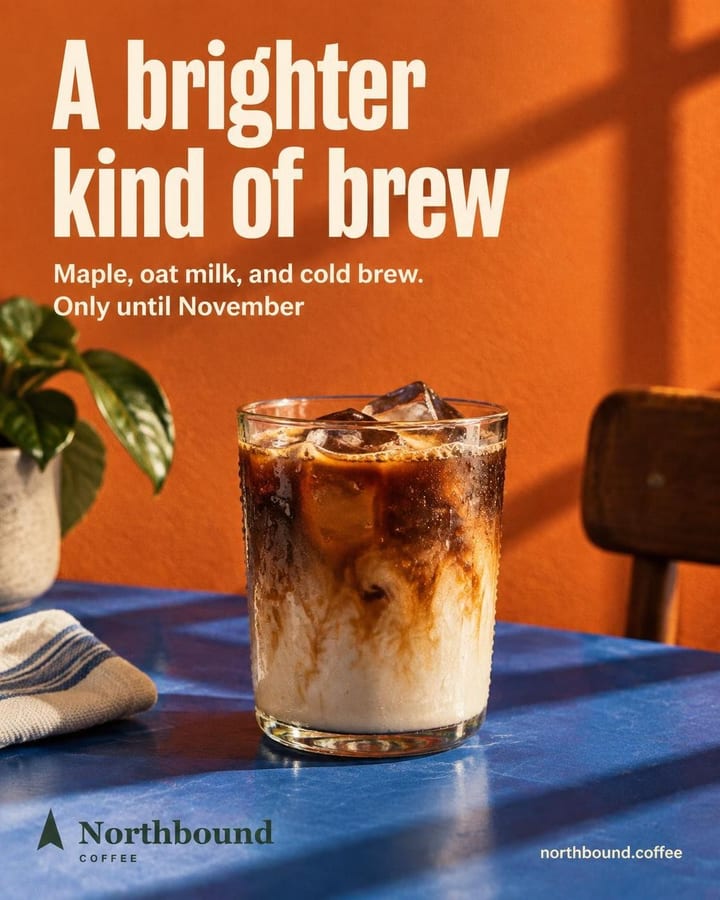
northbound.coffee Meet your brightest cold brew of the season. Maple, oat milk, and cold brew come together in a smooth seasonal pour made for brighter fall days.
Publish
Northbound Coffee
Where it goes
Instagram@northbound.coffeeFacebook (Page)Northbound CoffeeWhen
CancelPublish to 2 networks
Good to know
Fill in the bio
A professional account with no photo or bio looks abandoned. Five minutes there are worth more than any tool.
One Facebook account
Linking with one Facebook account while the Page is managed by another is the most common mistake. Use the same one throughout.
Contact details someone answers
The phone and email you add show up as buttons on your profile. Use the ones you actually check.
Frequently asked questions
Does a professional account cost anything?
No. It's free, business or creator.
Can I switch back to a personal account?
Yes, from the same settings, whenever you want.
Business or creator for a business?
For a shop, a venue or a service, business. If you're the one creating the content, creator. Both work for publishing from Feedmakers.
Why does Feedmakers need a Facebook Page?
Because today it connects to Meta through Facebook, and Meta only lets other tools publish to a professional Instagram account linked to a Page.
Keep reading
All guides- How to post on Facebook and Instagram at the same timeLink the accounts once and post to both networks in one tap.
- How to schedule Instagram posts for freeFrom the Instagram app or from Feedmakers, on both networks at once.
- Instagram sizes: post, story and reel dimensionsThe ratios for the feed, stories and reels, in pixels.
- Image resizerGet your image to 4:5, 1:1 or 9:16 and download it at 1080 px.
- Best times to postWhich days and hours to post for your type of business.
Sources
Reviewed October 5, 2026. Instagram's and Facebook's menus change with each app version: if something looks different, look for the option by its name.
Try it with your business
- Free, no card and no watermark
- 10 credits to start and 10 every month
- Publish and schedule up to 20 posts a month