Instagram post sizes: feed, stories and reels
If an image isn't the right size, Instagram crops it or simply won't accept it. These are the ratios that work and how many pixels to prepare them in.
Updated October 5, 2026
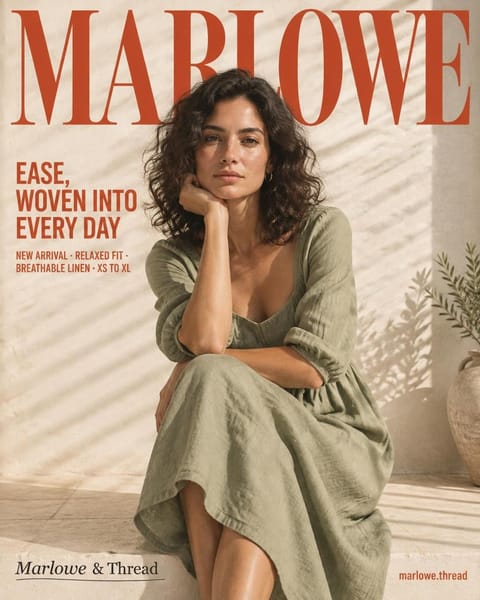 4:5Portrait1080 × 1350 pxThe best for the feed
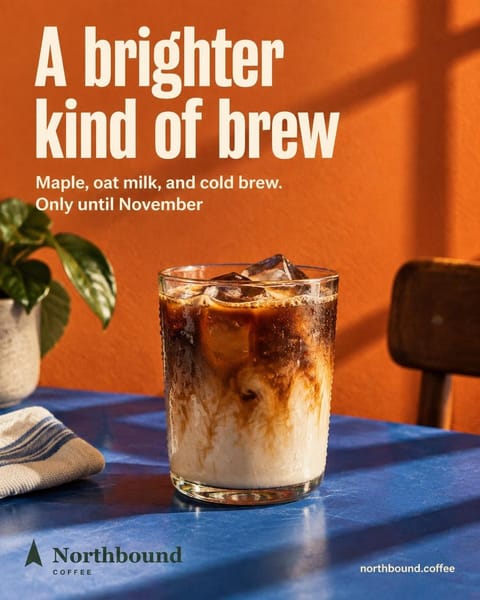 1:1Square1080 × 1080 px
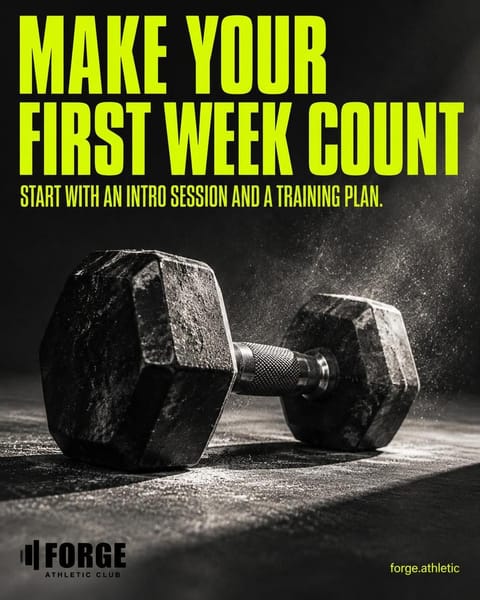 1.91:1Landscape1080 × 566 pxThe feed's limit
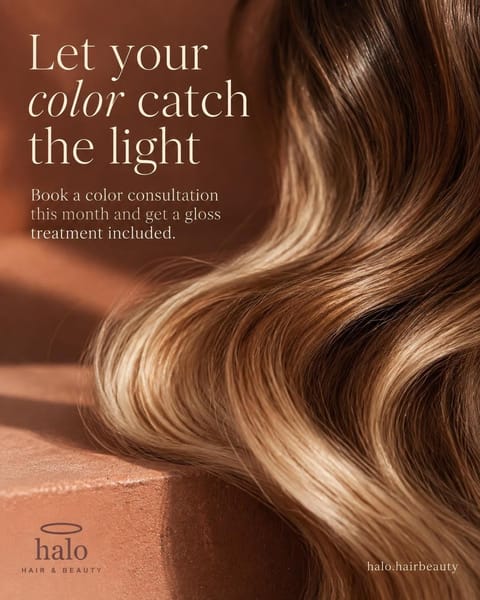 9:16Story and reel1080 × 1920 px
The short answer
For the feed, vertical 4:5 (1080 × 1350 px) takes up the most screen. Instagram accepts anything from 4:5 to 1.91:1 landscape. Stories and reels are 9:16 (1080 × 1920 px).
The four sizes you need to know
- 4:5Portrait1080 × 1350 pxTakes up the most of a phone screen. The best for the feed.
- 1:1Square1080 × 1080 pxThe classic. Works well for products and photos without much text.
- 1.91:1Landscape1080 × 566 pxThe feed's landscape limit. It takes up little space: use it only when the photo calls for it.
- 9:16Story and reel1080 × 1920 pxFull screen. Leave room at the top and bottom for the interface.
How to get your image to the right size
Pick the size before you design
It's easier to plan the piece in 4:5 from the start than to crop it later and lose the headline.
Crop it without losing what matters
With Feedmakers' free resizer you take it to 4:5, 1:1, 1.91:1 or 9:16 and download it at 1080 px wide, no account needed.
Or create it at the right size
In Feedmakers you pick 4:5 or 1:1 for the feed and 9:16 for stories, and the piece comes out at that size with the text inside.
Good to know
Out of range won't publish
Taller than 4:5 or wider than 1.91:1, the feed won't take it. The app makes you crop it; tools that publish for you get an error.
Room at the edges of a story
The account name sits at the top and the reply bar at the bottom. Keep the important text in the middle.
1080 px wide is enough
It's the width Instagram displays images at: bigger doesn't look better and takes longer to upload.
Frequently asked questions
Which size is best for the feed?
Vertical 4:5: it takes up more of a phone screen than a square or a landscape image.
Can I post a square image?
Yes. 1:1 (1080 × 1080 px) is within the range the feed accepts.
What about carousels?
Every image in a carousel is shown at the ratio of the first one, so it's best if they all share the same size.
Does Feedmakers warn me if the size won't work?
Yes. When you upload your own image, it tells you if Instagram won't accept it in the feed, before you schedule it.
Keep reading
All guides- How to post on Facebook and Instagram at the same timeLink the accounts once and post to both networks in one tap.
- How to schedule Instagram posts for freeFrom the Instagram app or from Feedmakers, on both networks at once.
- How to switch to an Instagram professional accountBusiness or creator, your category and the link to your Facebook Page.
- Image resizerGet your image to 4:5, 1:1 or 9:16 and download it at 1080 px.
- Best times to postWhich days and hours to post for your type of business.
Sources
Reviewed October 5, 2026. Instagram's and Facebook's menus change with each app version: if something looks different, look for the option by its name.
- Meta, guía de Content Publishing y referencia de IG User Media (documentación para desarrolladores), leídas el 2026-10-02
- Feedmakers: el control de proporciones al subir una imagen (lib/upload-image.ts)
Try it with your business
- Free, no card and no watermark
- 10 credits to start and 10 every month
- Publish and schedule up to 20 posts a month