Instagram carousel splitter: free, no sign-up
Pick a wide photo, how many slides it goes into and which part stays, and download them numbered. As people swipe the carousel, the image flows from one slide to the next. Everything happens in your browser.
Updated October 8, 2026
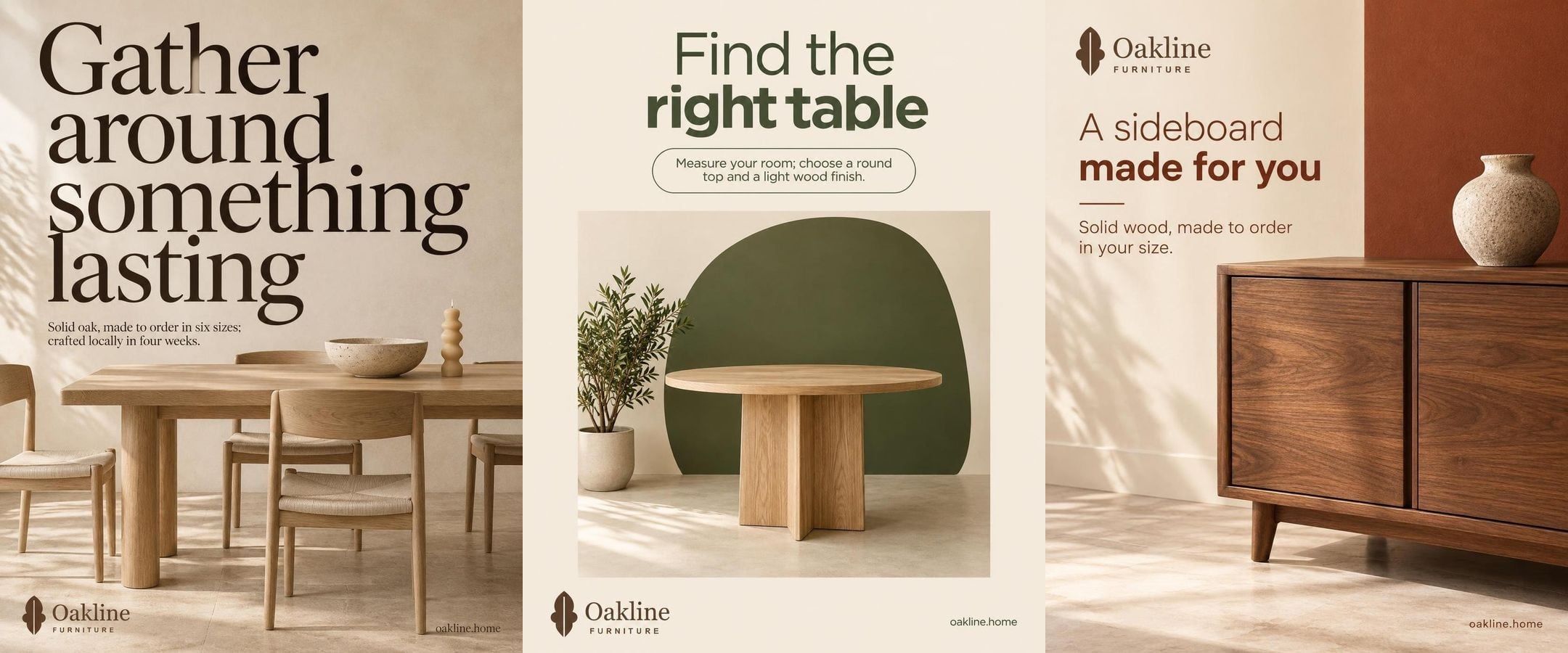
Drag the image to choose which part stays.
You get 3 images of 1080 × 1350 px, as JPGs.
Post them in order, from 1 to the last, in a single carousel.
Your image never leaves your browser: it isn't uploaded to any server.
How to split a photo into a carousel
Pick a wide photo
A landscape, the whole room, a shop window: the wider it is, the more slides fit without losing sharpness.
Choose the format and how many slides
Portrait 4:5 takes up more screen. The dotted lines show where each slide is cut.
Download them and post in order
On your phone, tap each slide to save it; on a computer, get them all in a .zip. Post them from 1 to the last.
Good to know
Something that crosses the cut
The effect shows when an object runs from one slide into the next: it invites people to swipe.
Keep text away from the cuts
A word split in half reads badly on your profile grid, which only shows the first slide.
The first slide leads
It's the one that appears in the feed and on your profile: make it work on its own.
Frequently asked questions
How many slides can a carousel have?
The tool splits into 2 to 10, what Instagram publishes when posted from other apps, like Feedmakers.
Is my image uploaded to a server?
No. The splitting happens in your browser, on your own device: the image never leaves it.
Why do all slides have the same size?
Instagram shows every image in a carousel at the same ratio. With equal slides, the photo flows without jumps as people swipe.
Does the image lose quality?
Each slide comes out 1080 px wide. If the photo isn't wide enough for that many slides, it gets scaled up and may look less sharp: the tool tells you how many fit without scaling.
What if I want the carousel made for me, with text?
Feedmakers makes multi-slide carousels with your brand and the text inside, and posts them to your Instagram. The free plan publishes up to 20 posts a month.
More free tools
All tools- Image resizerGet your image to 4:5, 1:1 or 9:16 and download it at 1080 px.
- Story and reel safe zoneSee what Instagram covers on your stories and reels before posting.
- Caption previewSee where your caption cuts off, its characters and hashtags.
- Profile previewOrder your next posts and see how your profile grid will look.
- QR code generatorA QR code for your Instagram or menu, in your colors, ready to print.
- YouTube thumbnailsPaste your video link and AI makes the thumbnail at 1280 × 720.
Try it with your business
- Free, no card and no watermark
- 10 credits to start and 10 every month
- Publish and schedule up to 20 posts a month